
How to perform the Optokinetic Nystagmus (OKN) test
What is the optokinetic nystagmus test?
The optokinetic nystagmus test measures the patient's ability to follow objects in motion with the eyes while the head remains stationary. This function is known as the optokinetic reflex and is performed within the central vestibular system.
The inability to produce symmetric optokinetic nystagmus (OKN) implies a dysfunction of the central vestibular system. It should be noted that to have a valid OKN test, you must stimulate the patient’s entire visual field. That is why a video projector or large LCD screen is necessary for this test.
Protocol setup
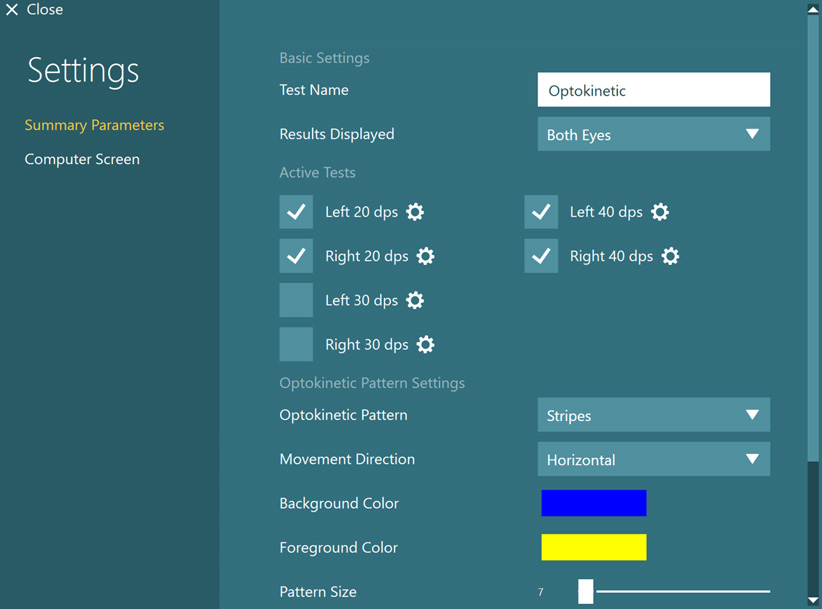
Optokinetic testing defaults to testing at 20 dps and 40 dps. The protocol can be adjusted to include 30 dps, or whatever other velocity is of interest. Specific pattern settings, such as different images, sizes, and colors can be chosen. These options may be especially useful with pediatric populations or those who are sensitive to specific colors or patterns.
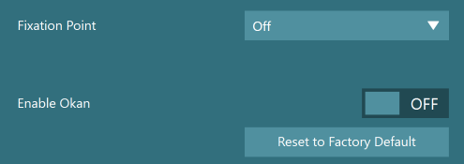
There are additional options that can be enabled from the Summary Parameters screen, including fixation point and enable OKAN:
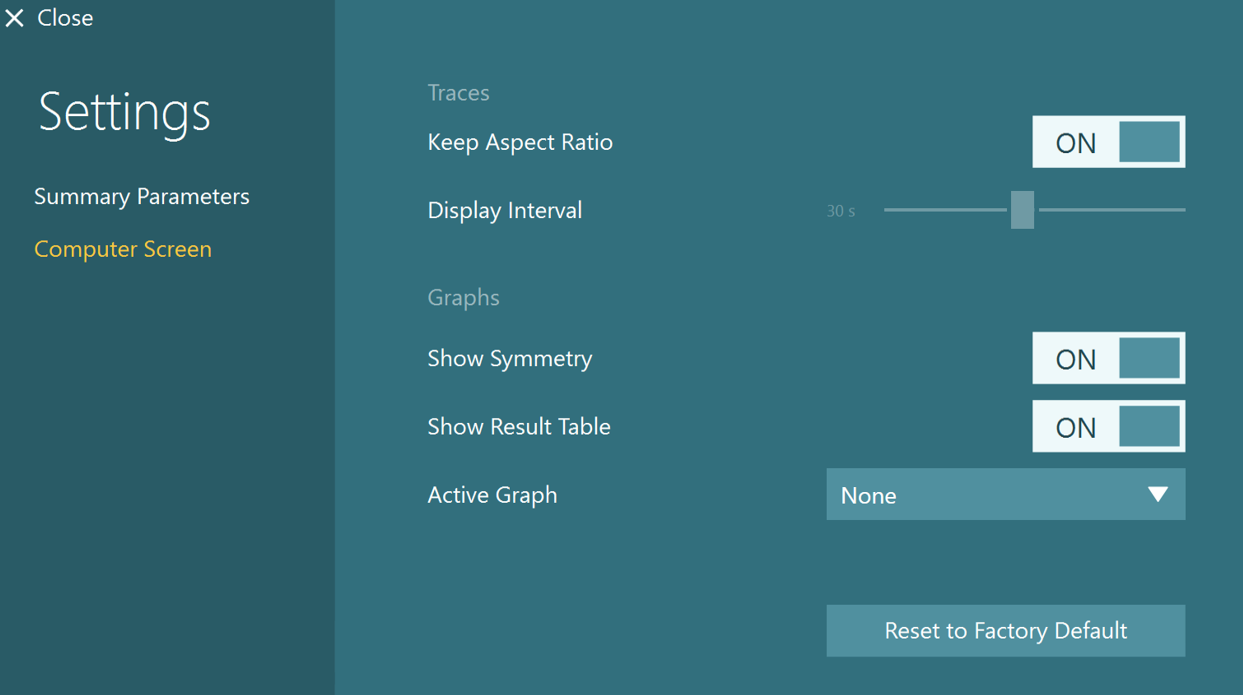
Computer screen settings can be also adjusted to allow for different result graphs to appear.
Preparing for the test
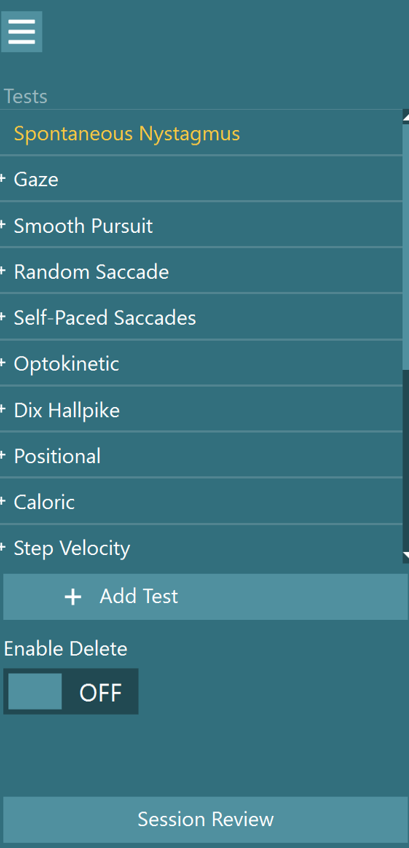
Optokinetic testing is available in the default VisualEyes™ 525 protocol. It can be added to any other protocols by clicking “Add test” during testing or changing it under Protocol Management.
Patient instructions
If the test is set up to maximize the patient’s visual field, then very little instruction is needed since the response is a “reflex” and should occur on its own with little intervention. The patient is instructed to “simply look ahead and watch the pattern in front of you”.
Normal response
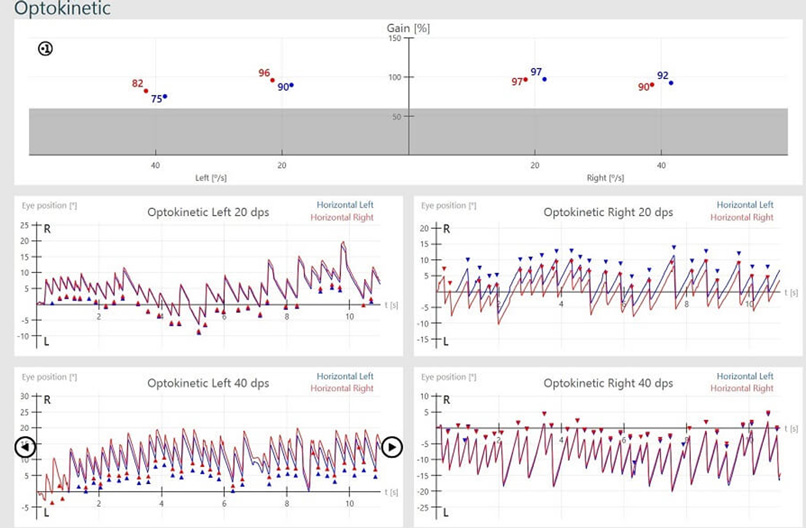
Optokinetic responses are measured for both rightward-moving and leftward-moving visual fields at varying velocities. A patient with the ability to perform OKNs normally will produce tracings that have symmetrical slow phase velocity for leftward and rightward eye movements and gain responses that are within normal limits for both directions.
Abnormal response
An abnormal response seen in one direction but not the other is suggestive of a vestibular disorder. If it is not accompanied by a spontaneous nystagmus, the disorder is likely central.
When the maximum speed of the slow phase velocity is less than 60% of the stimulus speed, it is outside of threshold limits. When the asymmetry between rightward-moving and leftward-moving eye movements is greater than 25%, it is outside of threshold limits.
Gain and Symmetry graphs are displayed above the eye position traces and a data point for each target speed and each eye appears in the graphs. A red diamond will appear when any of these data points are outside of threshold limits.
Note: It is possible that the patient can accurately track the target in one direction, but not in the other direction. In most cases, the abnormality will present itself toward the side that has the lesion. Also, it is critical that the examiner is aware of whether the patient is actively watching the screen. OKNs are often disturbing to the patient’s vestibular system.
To compensate, the patient might try to “stare through” the screen. The result will appear as a “flat line” on the tracing. This is good information in that it may indicate that the patient has adopted this “stare through” strategy in learning to compensate for the vestibular disorder.
For a complete discussion of optokinetic parameters and protocols, refer to:
Jacobson, G. P., & Shepard, N. T. (2015). Balance function assessment and management (2nd ed.). Plural Publishing.
Presenter

Dr Liz Fuemmeler
Dr. Liz Fuemmeler is the Balance Clinical Product Manager with Interacoustics and Vestibular Program Director at Professional Hearing Center in Kansas City, MO. She graduated with her Doctorate of Audiology in 2019 from Purdue University and received specialty training in vestibular and balance disorders at Boys Town National Research Hospital and the Mayo Clinic. She is actively involved in vestibular and concussion research and regularly lectures for local, national, and international conferences. Outside of her role with Interacoustics, she co-hosts a monthly podcast called "A Dose of Dizzy'' that reviews current vestibular protocols and research. She also is the past-president of the Missouri Academy of Audiology and volunteers with the American Academy of Audiology.